

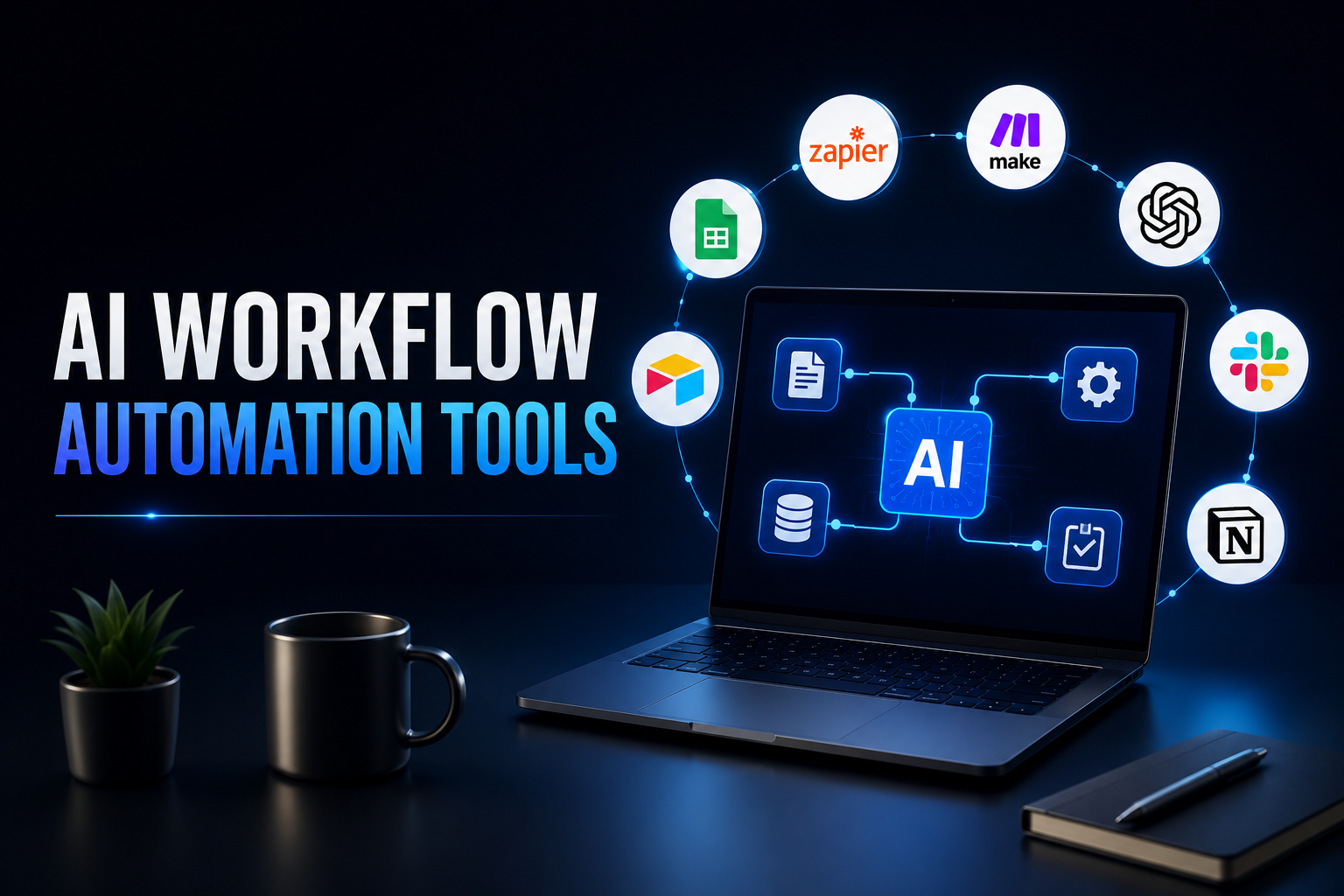
The best AI workflow automation tools in 2026 don’t just connect apps. They run agents that can read messy emails, make judgment calls, and clean up their own exceptions.
If you want speed and the biggest app library, use Zapier. If you want visual power and saner pricing for complex work, Make is the smarter buy. If you want to self-host, bring your own LLM keys, and see exactly what failed, n8n is still the most transparent option. And if you want an agent that actually does the job instead of just moving data around, that’s where Lindy AI and Gumloop pull ahead.
The 10 best AI workflow automation tools in 2026 are: Zapier for the largest ecosystem, Make for complex visual workflows, n8n for open-source control, Lindy AI for autonomous agents, Gumloop for unstructured data, Relay.app for human-in-the-loop, Bardeen for browser automation, Microsoft Power Automate for Microsoft 365, Zenphi for Google Workspace, and Tray.ai / Workato for enterprise scale.
What is AI Workflow Automation in 2026?
AI workflow automation in 2026 is the use of large language models and autonomous agents to run business processes end-to-end, including the unstructured parts that used to break everything.
Traditional automation was brittle. It was great when the data was clean. If new lead in Typeform, then create row in Sheets. The moment you fed it a forwarded email chain, a scanned invoice, or a customer message that said “this isn’t working, can you check?” it fell over.
What changed is reasoning. An AI workflow can now read that email, figure out intent, pull context from your CRM, decide whether it can resolve it or needs to loop in a human, and then act. It doesn’t just follow rules. It uses tools. It calls APIs, queries your knowledge base, and remembers what happened in the last step. That’s the difference between robotic process automation, which mimics clicks, and true agentic automation, which makes decisions. RAG, tool calling, and memory are what make that possible now.
How We Evaluated These AI Automation Tools
We evaluated them the way an ops team would, by shipping the same real workflows in every tool and watching what broke.
Over two weeks we built three production workflows in all ten platforms. First, inbound lead enrichment from LinkedIn to HubSpot. Second, invoice parsing from Gmail to QuickBooks. Third, support triage from Intercom to Slack with escalation. Each ran with 500-plus records so we could see true cost, including AI token usage, and how error handling worked under load.
We paid attention to five things. Real AI capability, not marketing. Is this a genuine agent with memory and tool use, or just an LLM node bolted on? Time to first working workflow for someone non-technical. Depth of integrations, not just the logo wall, but whether the action you actually need exists. Total pricing reality, because tasks, credits, executions, and LLM fees add up very differently. And security that passes a real review: SOC 2, data residency, BYOK, and audit logs you can actually read.
Zapier got us to first value in under 20 minutes. n8n took three hours to get right, but it was the only one where we could self-host, plug in our own Claude keys, and see the full payload when a step failed. Those tradeoffs matter.
The 10 Best AI Workflow Automation Tools in 2026
1. Zapier – Best for Non-Technical Teams Who Need the Largest App Ecosystem
Zapier is a no-code AI workflow automation platform best for non-technical teams that need to ship automation today across the largest app ecosystem.
It is still the default for most teams. In 2026 Zapier is no longer just zaps. You get AI Workflows, Agents that live in Slack or as a chatbot, Tables as a lightweight database, and Interfaces for approvals. The library is over 8,000 apps, so you almost never hit a dead end where an integration doesn’t exist.
The AI is practical. You can parse text, generate code, summarize documents, and add an agent step that decides which branch to take. A marketing ops generalist can wire Typeform to Salesforce to Slack without waiting on engineering.
The catch is scale. Task-based pricing gets expensive fast once volume picks up, and logs are still high-level when you are trying to debug why an LLM step returned something weird. If your stack is mostly standard SaaS and you value speed over deep control, Zapier is still the easiest place to start.
2. Make – Best for Visual, Complex Workflows on a Budget
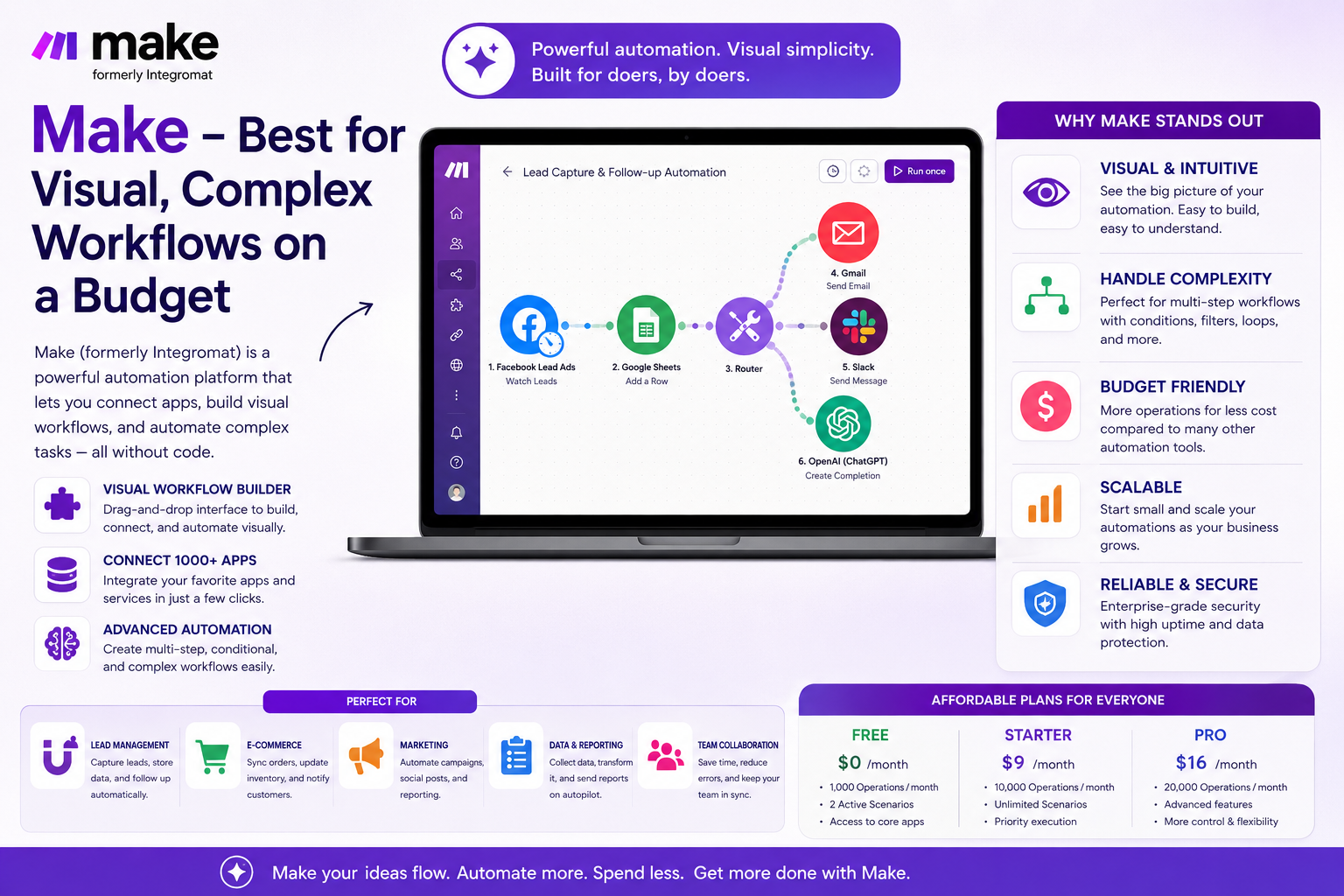
Make is a visual low-code AI workflow automation platform best for power users who need to build branching, complex workflows without paying the Zapier tax.
Think of it as a canvas. You see routers, filters, aggregators, and error handlers laid out visually. When a flow needs to split, loop, retry, or aggregate, that visibility saves you hours. It handles complexity that linear builders struggle with.
AI fits in naturally. You drop in OpenAI, Claude, or any custom LLM module, give it memory, let it call tools, and route based on confidence. For operators who live in scenarios, that control is addictive.
It is more affordable at volume and more powerful once you learn it. The learning curve is real, though. New users often build one giant scenario that becomes impossible to maintain. Break it up. Build small, reusable scenarios and trigger them via webhooks. It is cheaper to rerun and far easier to fix at midnight when an API hiccups.
3. n8n – Best Open-Source and Engineer-Controlled AI Workflows
n8n is an open-source AI workflow automation platform best for technical teams that want full transparency, self-hosting, and control over data.
n8n doesn’t pretend automation is simple. Every node shows you its input, output, and what failed. You can host it in your own VPC, bring your own keys, connect your own vector database like Pinecone or Supabase for RAG, and keep sensitive data off third-party servers.
In 2026 the AI story here is as a co-pilot. You build agents with tools, memory, and access to internal docs. The agent can reason over them, but you can audit every decision. Because it is fair-code and open, you are not locked into a vendor’s markup on AI tokens.
It is not built for a marketer who wants something in five minutes. It is built for teams where workflows are mission-critical and a black box is unacceptable. If you have engineering support, this is where you get the most long-term leverage.
4. Lindy AI – Best for Autonomous AI Agents for Sales and Support
Lindy AI is an agent-first automation platform best for teams that want to automate an entire role, not just a task.
Lindy flips the model. You don’t start with a flowchart. You start with a job description. “You are an SDR. Qualify inbound leads from email, check calendar availability, and book meetings.” Give it Gmail, Calendar, and your CRM, and it runs.
We tested it on inbound lead response. It replied in under two minutes, asked smart qualifying questions, checked availability, and booked the call without a human touching it. That’s not moving data. That’s doing work.
The trick is to start narrow. Give Lindy one role, set clear guardrails, and require human approval on outbound before you go fully autonomous. Trust collapses quickly if an agent sends something off-brand. Start with approval on, prove quality, then take the training wheels off.
5. Gumloop – Best for Automating Tasks with Unstructured Data
Gumloop is an AI-powered workflow automation platform best for teams whose work starts with messy, unstructured data.
Most tools break when your input is a pile of PDFs, scraped websites, or a spreadsheet with inconsistent formatting. Gumloop was built for that exact problem. It has native nodes for web scraping, document understanding, and loops that can run an LLM over thousands of rows.
Growth teams love it for a reason. What used to be a week of intern work, like scraping a list of companies, pulling pricing from their sites, summarizing their pitch decks, and enriching a sheet, becomes a 20-minute flow you can rerun daily.
If your work is mostly clean API-to-API handoffs, you might not need it. If your work starts with “go figure out what’s in these documents,” Gumloop is currently the fastest path.
6. Relay.app – Best for Human-in-the-Loop Workflows
Relay.app is an AI workflow automation platform best for teams that need automation but can’t afford to get it wrong with customers or money on the line.
Every step in Relay can have a human approval built in from day one. AI can draft the customer reply, but it doesn’t send until someone approves it in Slack or email with one click. That matters when you are automating support or finance.
The builder also has AI chat built in. You describe what you want and it drafts the workflow for you, which cuts setup time dramatically.
Use Relay when trust is your bottleneck. If your team isn’t ready for full autonomy, Relay gives you 80 percent automation with 100 percent confidence. You can audit what the AI did, why it did it, and where a human stepped in.
7. Bardeen – Best for AI Automation Inside Your Browser
Bardeen is a browser-based AI automation platform best for people who live in tabs and want to automate the work where it actually happens.
It lives as a Chrome extension and sees what you see. That lets it do things API tools simply can’t. Copying structured data from LinkedIn to Notion. Summarizing a meeting while you are still in Google Meet. Updating Salesforce from a web form without an official integration.
Its agent understands intent like “find all marketing directors from this list and add them to my sheet” and then executes the steps in your browser. For personal productivity, the time-to-value is instant.
It isn’t meant to be your company-wide orchestration layer. Think of it as a personal assistant that kills the tab-switching work you never want to do again.
8. Microsoft Power Automate – Best for Enterprises in the Microsoft 365 Ecosystem
Microsoft Power Automate is an enterprise-grade AI workflow automation platform best for organizations that already live in Microsoft 365, Azure, and Dynamics.
If your day is Outlook, Teams, SharePoint, and Excel, Power Automate is the least friction. You get first-party connectors that actually work, desktop RPA for legacy apps that still don’t have APIs, and Copilot that builds flows from plain English.
IT likes it because governance is real. DLP policies, environment management, audit logs, and identity through Entra ID. That is often what gets a workflow approved when other tools get stuck in security review.
Outside the Microsoft world it feels clunkier, and licensing, per-user versus per-flow, can be confusing. But for enterprise teams where compliance is non-negotiable, it is usually the path of least resistance.
9. Zenphi – Best for Google Workspace-Native Automation
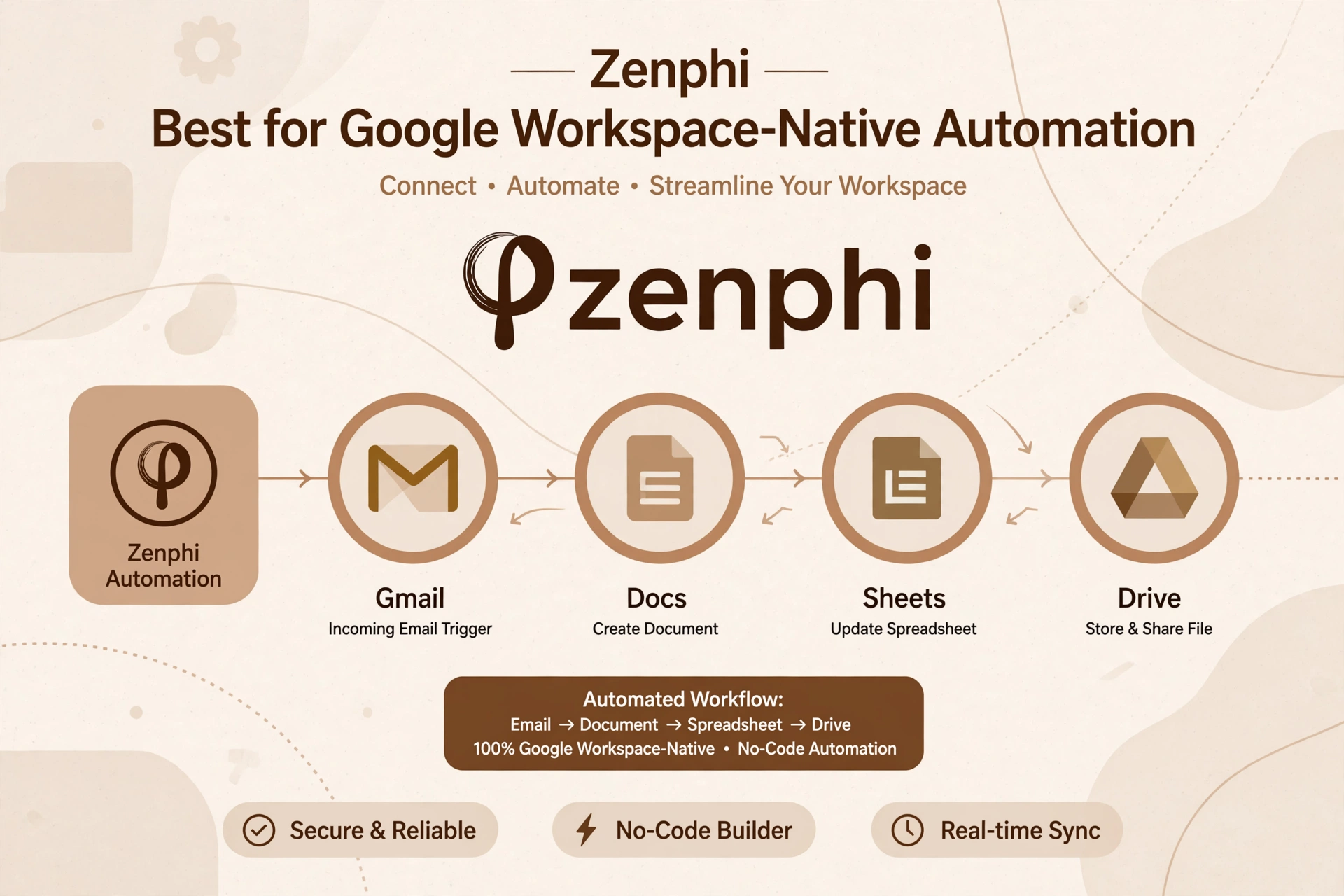
Zenphi is a Google-native AI workflow automation platform best for teams that run their business on Google Workspace and need compliant automation.
Most tools treat Google Workspace as just another connector. Zenphi treats it as home base. It runs on Google Cloud, respects Google’s security model, and has deep triggers for Gmail, Drive, Docs, Sheets, and Chat. That depth shows up in real processes like HR onboarding, where you need document generation from a template, e-signatures, and multi-stage approvals without leaving Google.
We see teams switch to Zenphi after trying to force onboarding or finance approvals through Zapier and hitting limits around approvals and document handling.
If you aren’t on Google Workspace, skip it. If you are, it solves problems the generalist tools don’t.
10. Tray.ai / Workato – Best for Enterprise-Grade Integration at Scale
Tray.ai and Workato are enterprise iPaaS platforms best for large companies that need to orchestrate critical processes at scale with proper governance.
These are not SMB tools and they don’t try to be. They are built for RevOps and IT teams connecting Salesforce, NetSuite, Snowflake, and internal APIs where a failure costs real money. You get versioning, testing, advanced error handling, role-based access, and SLAs.
Both have gone hard on AI. Tray has Merlin AI that can build recipes from prompts and add AI logic anywhere in a flow. Workato has its Recipe Copilot and Enterprise Workbot. The value isn’t just automation. It is observability and control when you are processing millions of records.
Expect weeks to implement, not hours, and pricing that reflects enterprise use. If you have a dedicated integrations owner, they are worth it. If you don’t, you will pay for power you never use.
Which AI Workflow Automation Tool Should You Actually Choose?
There is no single winner. The right tool depends on your stack and how much control you need.
If you are a startup or solo founder and you want to ship today, start with Zapier or Gumloop. You will get ROI this afternoon.
If you are a small business that needs affordable power and wants to see how workflows branch, Make is the sweet spot. It gives you enterprise logic without enterprise pricing.
If you are technical and want to own your data, bring your own models, and debug the actual payload, n8n is the clear winner.
If you live in Microsoft 365, Power Automate will get through security review fastest. If you live in Google Workspace, Zenphi will feel like it was actually designed for you. And if you need true enterprise orchestration with audit trails and scale, look at Tray.ai or Workato.
And if you want an agent to own a role, not just a task, give Lindy a real job to do. Start with one role, measure it, and expand.
Common Mistakes to Avoid When Choosing an AI Automation Tool
The most expensive mistakes aren’t about features. They are about cost and trust.
First, people shop by logo count. Every platform claims thousands of integrations, but what matters is whether the exact action you need exists for your core apps. Check the action list for HubSpot, Salesforce, or whatever you live in before you buy.
Second, they forget LLM costs. Many platforms charge for tasks or credits, then pass through token usage on top. A workflow that enriches a thousand leads with GPT-4 can cost more in tokens than the platform subscription itself. Always run a thousand-record test and look at the total bill, not just the sticker price.
Third, they build without a failure path. APIs go down. Emails bounce. LLMs hallucinate. A good workflow always has an error branch. What happens when confidence is low? Who gets notified? Where does the failed item go for review? Tools like Make, n8n, and Tray handle this gracefully. Some lighter tools don’t, and you find out at the worst possible time.
Final Verdict: The Future is Agentic Workflows
In 2025 we automated tasks. In 2026 we are automating roles, and the best platforms are orchestration layers for agents, not just connectors.
The winners in this list don’t just move data from A to B. They read, reason, and act, then ask a human when it matters. That is what makes automation stick in production.
You don’t need all ten. You need the one your team will actually maintain six months from now. If you value speed and ecosystem, pick Zapier. If you value control and transparency, pick n8n. If you want to see what work looks like when an agent does the job, try Lindy and Gumloop. Start with one messy, real workflow. The tool that fails gracefully and transparently is the one you should keep.
Frequently Asked Questions About AI Workflow Automation Tools
What is the difference between AI workflow automation and traditional workflow automation?
Traditional automation follows fixed rules. If X happens, do Y. AI workflow automation adds reasoning. It can read unstructured data like emails and PDFs, decide what matters, choose a branch, and ask a human for help when confidence is low.
Can AI workflow automation tools completely replace manual work?
No, and they shouldn’t. The best setups in 2026 automate 70 to 90 percent of a process and keep a person in the loop for edge cases, approvals, and anything customer-facing. The goal is to remove busywork, not judgment.
Is there a free or open-source AI workflow automation tool?
Yes. n8n is the leading open-source option. You can self-host it and pay only for hosting. Activepieces is another solid open-source choice. Most commercial tools like Zapier, Make, and Relay.app have free tiers for testing, but they cap tasks or executions.
How much do AI workflow automation tools cost in 2026?
It depends on volume and AI usage. Entry plans run 20 to 50 dollars per month. At scale, cost is driven by tasks or credits plus LLM token fees. Always test with a thousand real records and check the combined bill before you commit.
Which is better: Zapier or Make for AI automation?
Zapier is faster to first value and has more integrations. Make is more powerful for complex, branching workflows and usually cheaper at high volume. If you are non-technical and want speed, start with Zapier. If you are an operator who likes visual control, choose Make.
Are AI workflow automation tools secure enough for business data?
The top platforms are. Look for SOC 2, data residency options, bring-your-own-key for LLMs, and audit logs. If you need full data control, consider self-hosting with n8n or a Google-native option like Zenphi that runs inside your cloud perimeter.
Read more: AI Business Ideas for Beginners (2026 Guide)
